
DUALL MASTER / 3D COMMAND CENTER
Consistent response.
Less room for error.
Locations, cameras and alerts in one building model. Less reliance on each operator’s memory.
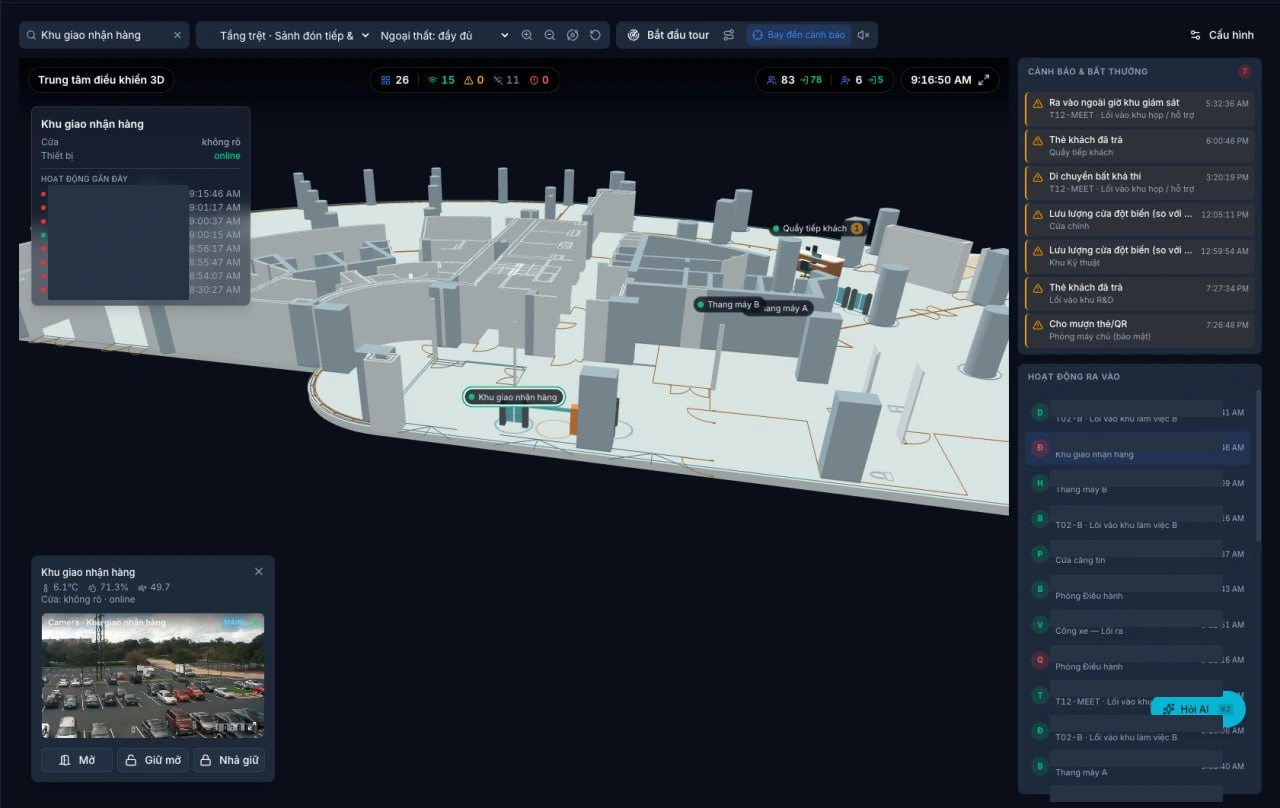
More than a view of the building. A place to start responding.
When shifts change or new staff join, the team still needs the right information. A shared building model helps reduce misplaced door names, camera searches and incomplete handovers.
Know where
Locate the door, floor and area involved.
See the context
Check status, alerts and linked cameras in one place.
Work consistently
Verify and coordinate across shifts using your organisation’s procedures.
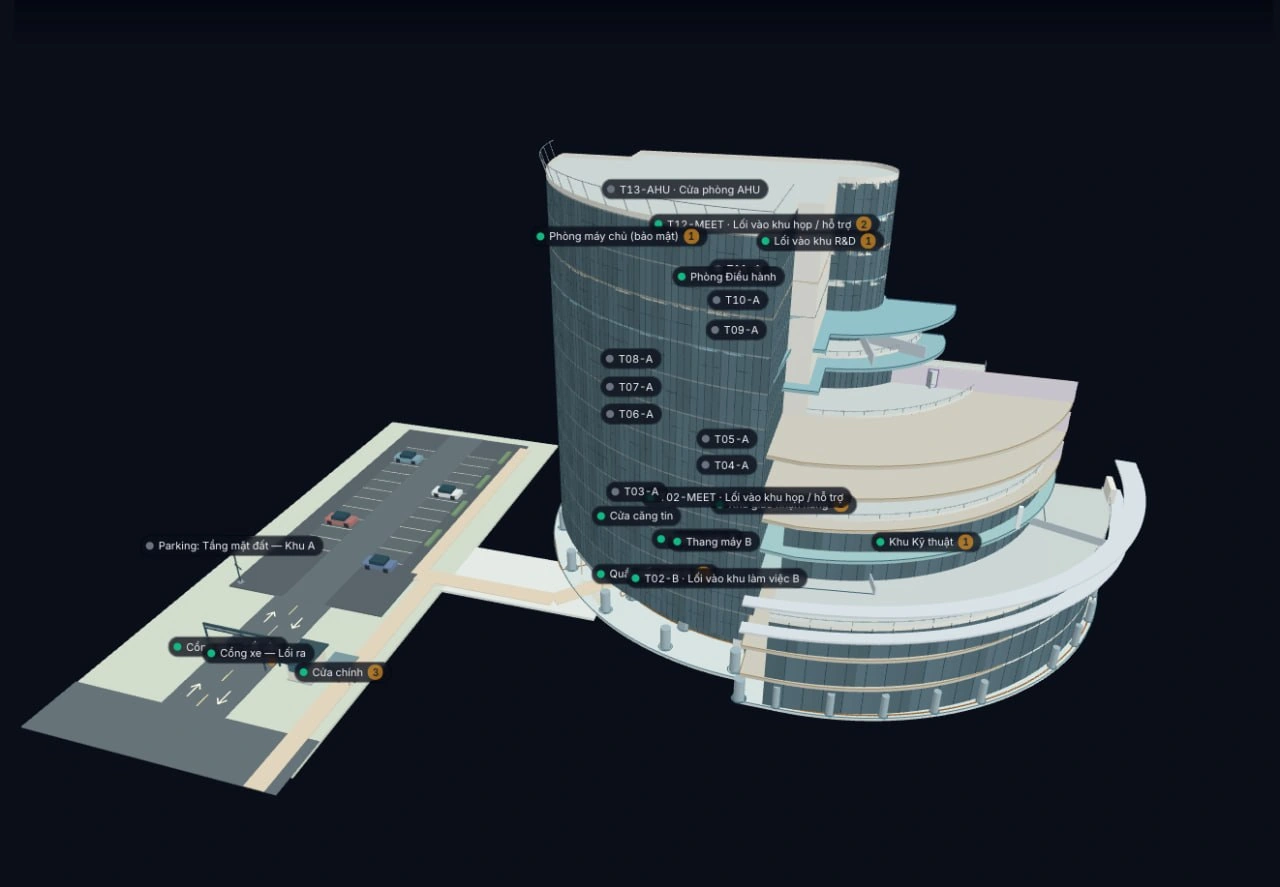
From the whole building to the point that matters.
The building model places access points in their spatial context. Select a door or area to check device status, recent activity and video from a linked camera.
The model and access points are configured to match each facility’s layout and zone structure.
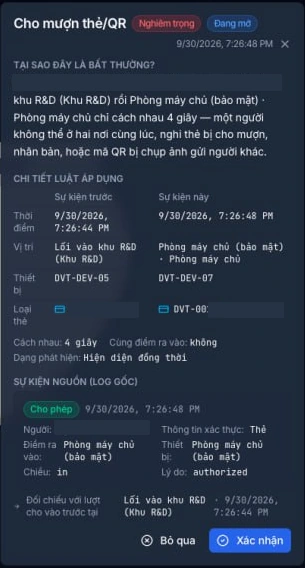
An alert starts the check. Verification guides the response.
For example, a card is used at two locations just seconds apart. The operator can review the alert reason, compare both access events and open the linked CCTV before drawing a conclusion.
- 01
Recognise
Select the alert to investigate.
- 02
Locate
See where the event occurred.
- 03
Verify
Compare camera footage and access events.
- 04
Coordinate
Contact on-site staff and update the findings.
After checking, an authorised operator can acknowledge or dismiss the alert. An alert alone is not proof of a violation.
EMERGENCY & EVACUATION
Support evacuation. See who still needs checking.
Identify affected areas, assembly points and people not yet confirmed safe to help coordinate the response.
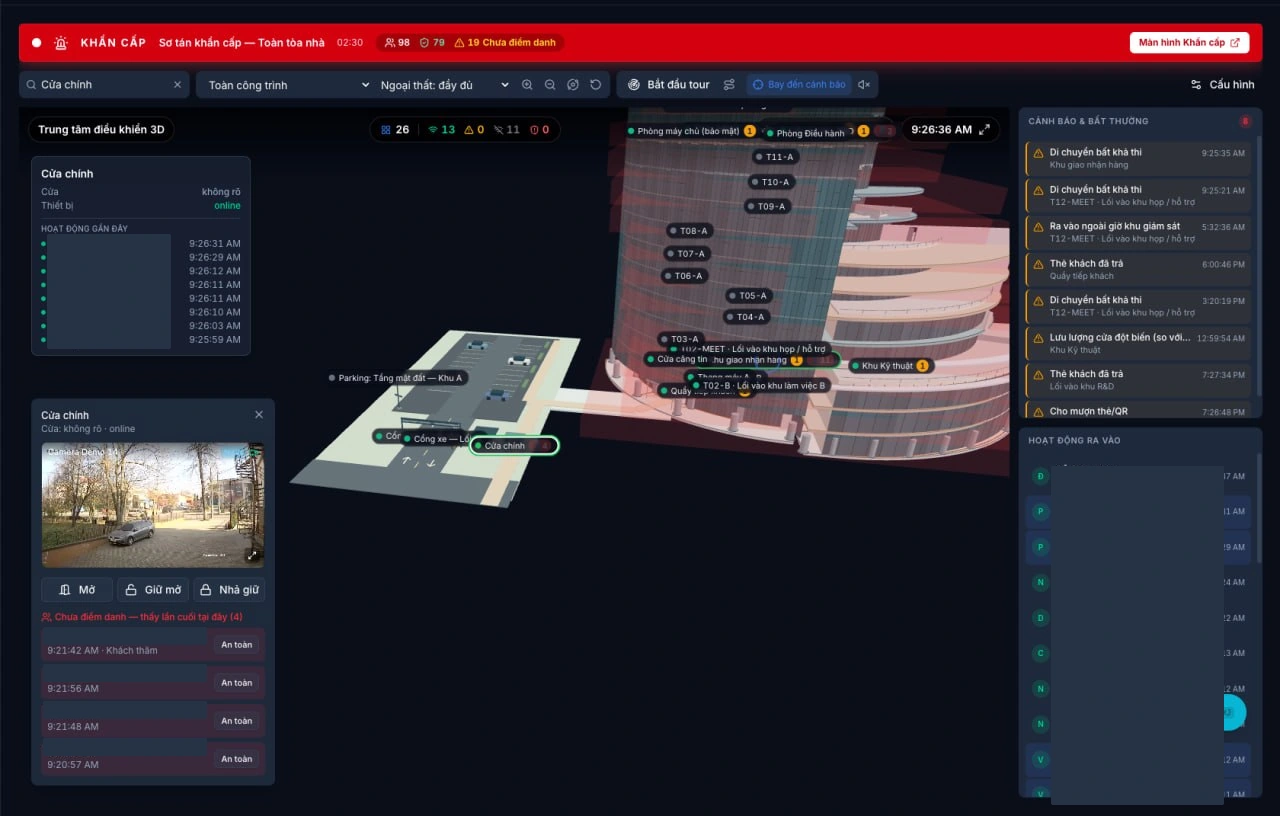
Recognise affected areas
Affected areas are highlighted in red. Assembly points are marked in green and flash in the interface.
Track safety confirmations
Review safe and unaccounted-for counts and last recorded locations. Responsible staff update safety status after verification.
A last recorded location is not a person’s current location. The system supports evacuation; it does not replace your organisation’s response procedures or dedicated fire-safety systems.
Move through observation points during the shift.
The automatic map-view tour moves the viewpoint through a selected route. Set observation points and dwell times instead of repeatedly changing views by hand.
This changes the viewpoint on the map. It does not control PTZ cameras and does not replace physical patrols.
Choose route → Set dwell time → Observe
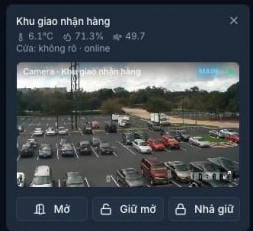
More context at the point you need to check.
Where sensors are connected, operators can check temperature, humidity and other supported readings alongside the live camera.
Displayed information depends on connected cameras and sensors. Tours follow configured routes and dwell times.
A shared view. A clearer way to coordinate.
Easier shift handovers
Reduce reliance on individual memory and experience. Help new staff get familiar with the facility.
Less searching
Events and cameras are linked to areas, making checks and communication with on-site staff easier.
Informed coordination
Follow the situation together and identify people who still need verification or assistance.
DUALL MASTER BY DUALI
Start with your building.
Discuss your floor plans, existing systems and operating procedures. Duali can advise on a suitable scope and demonstrate the 3D Command Center.